
Why the SideTrak® Swivel 15″ Attachable Portable Monitor Is My Favorite Productivity Upgrade
As someone who spends hours writing blog posts, editing photos, creating Pinterest graphics, and juggling social media, I always seem to have too many tabs open. I was constantly switching between windows just to finish one task. That’s why I started looking for an attachable portable monitor that could give me more screen space without taking over my desk.
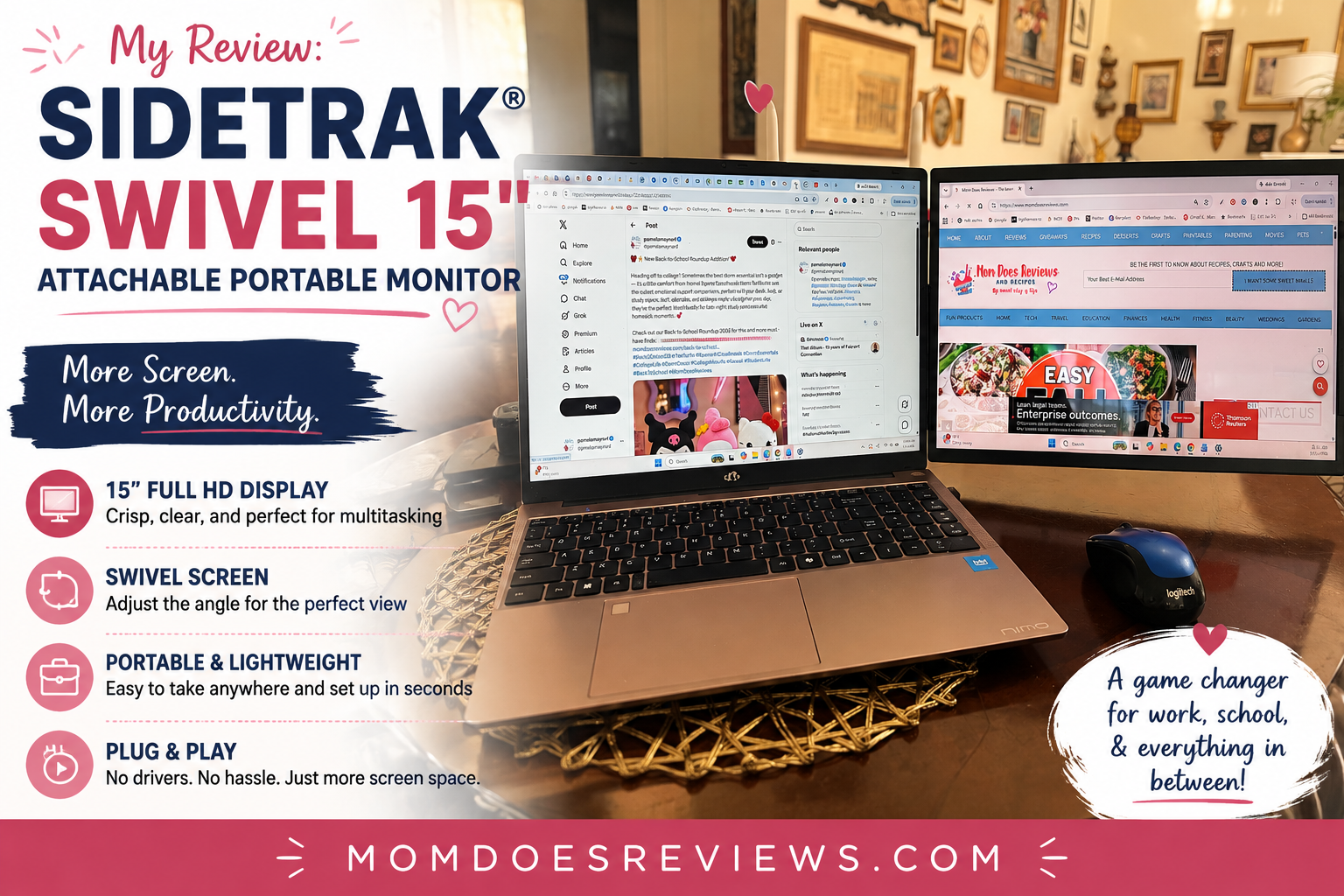
What made me even more curious was watching my son use his laptop. His computer has a built-in second screen, and he absolutely loves it. Seeing how much easier it made schoolwork, research, and multitasking convinced me that an extra display could also make a huge difference for my blogging business. Whether you’re a busy college student, working from home, or simply need a more organized workspace, having a second screen can completely change the way you work. After trying the SideTrak Swivel, I honestly wish I had added one sooner.
Why Luxor Workspaces Worked for Me
When I started researching portable workspace solutions, Luxor Workspaces immediately caught my attention because they focus on products designed to improve productivity wherever you work. Whether you’re studying in a dorm room, working from a home office, or traveling between meetings, having flexible equipment can make everyday tasks much easier.
I also liked that the SideTrak lineup is designed around convenience. Instead of carrying a bulky second monitor, this solution attaches directly to your laptop, creating a streamlined dual-screen setup that travels with you. Since I often move between my office, the kitchen table, and even the patio when I’m working, portability was just as important as performance.
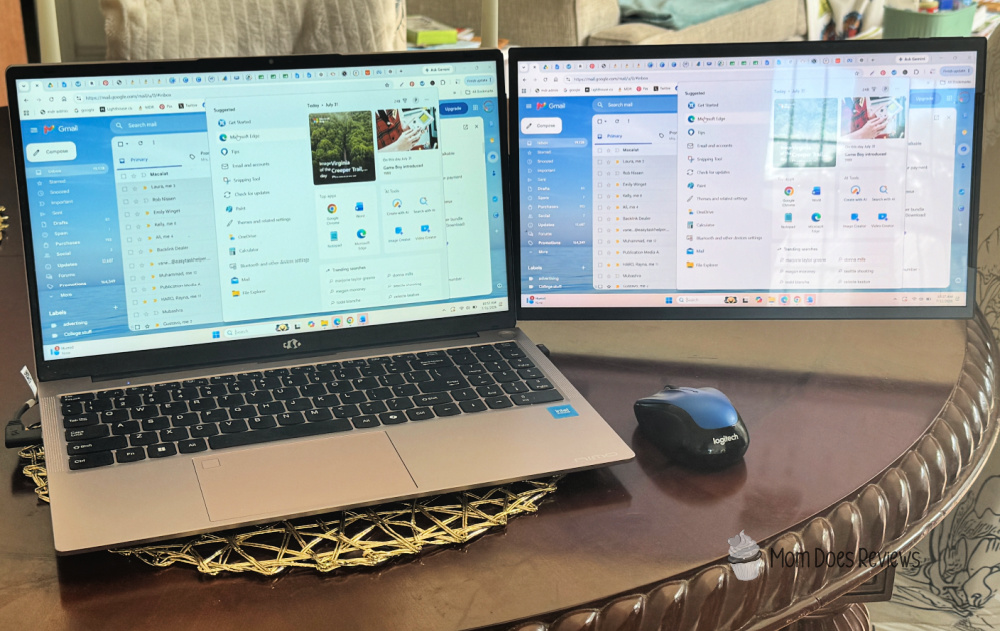
Working Smarter from Anywhere with Dual Screens
SideTrak® Swivel 15″ Attachable Portable Monitor
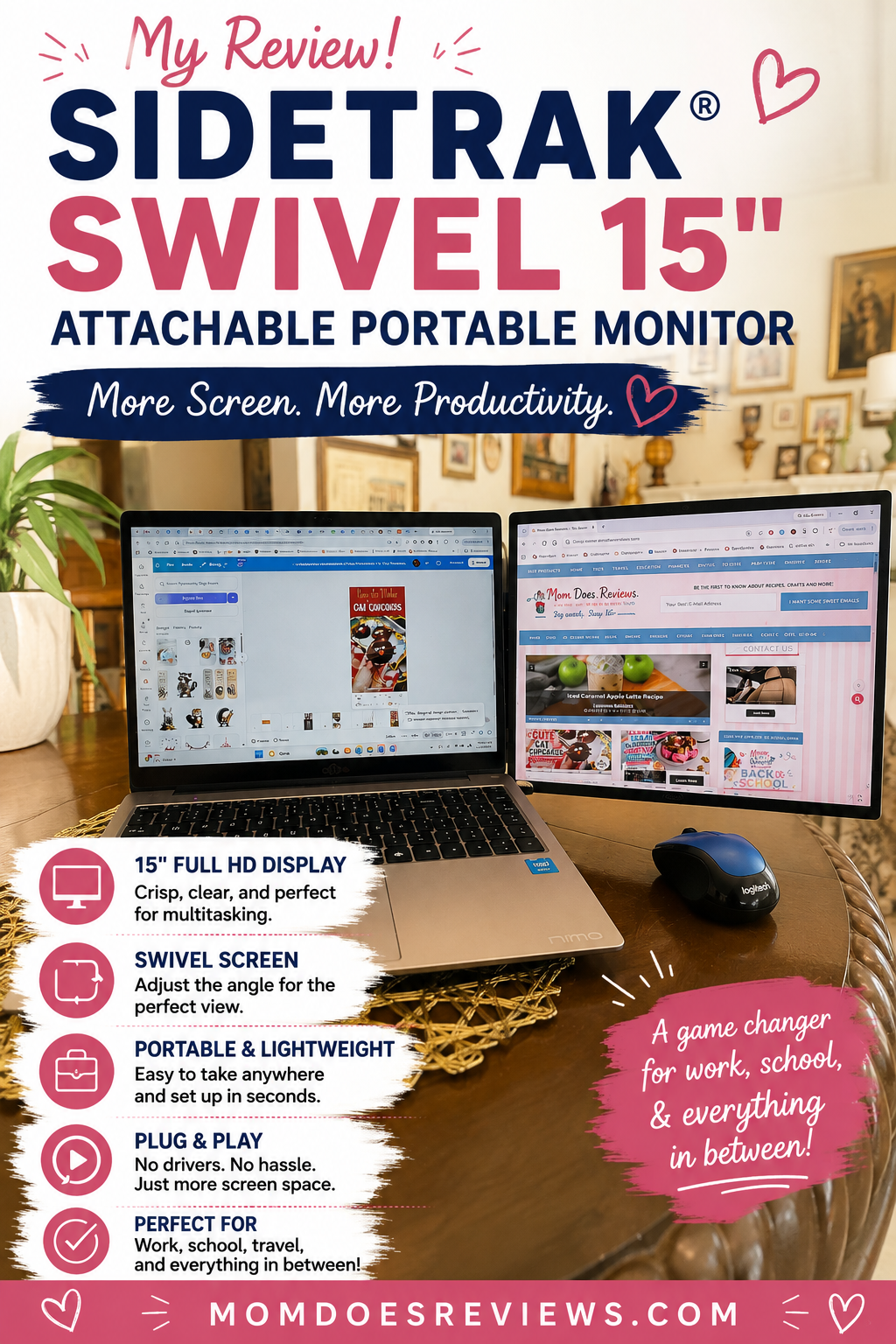
The SideTrak Swivel 15″ attachable portable monitor has completely changed the way I work on my blog. Before using it, I constantly switched between Canva, WordPress, photo editing software, email, and social media. Now I simply keep one program open on my laptop while the second screen handles everything else. It feels much more organized, and I spend far less time clicking back and forth.
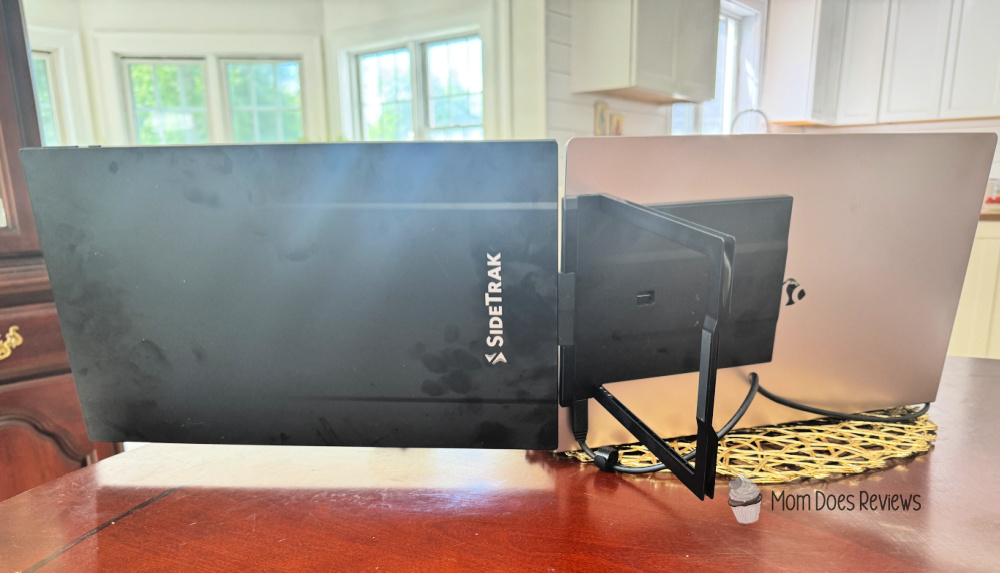
One feature I really appreciate is the swivel design. It gives me flexibility depending on where I’m working, and I can easily position the screen in a way that’s comfortable throughout the day. The Full HD display provides plenty of space for editing graphics, reviewing blog drafts, or comparing documents side by side.
I also love how portable it is. Because the monitor attaches directly to my laptop, I don’t have to pack a separate bulky display when I need to work somewhere else. Whether I’m sitting at my desk, working from the dining room, or taking my laptop to a coffee shop, my second screen comes with me.
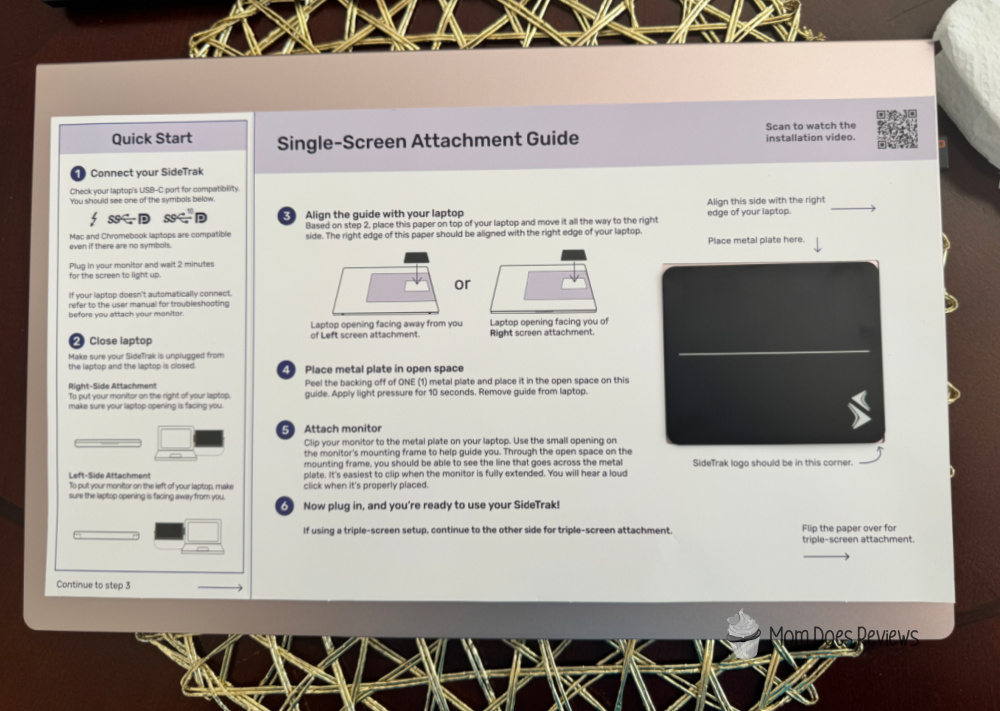
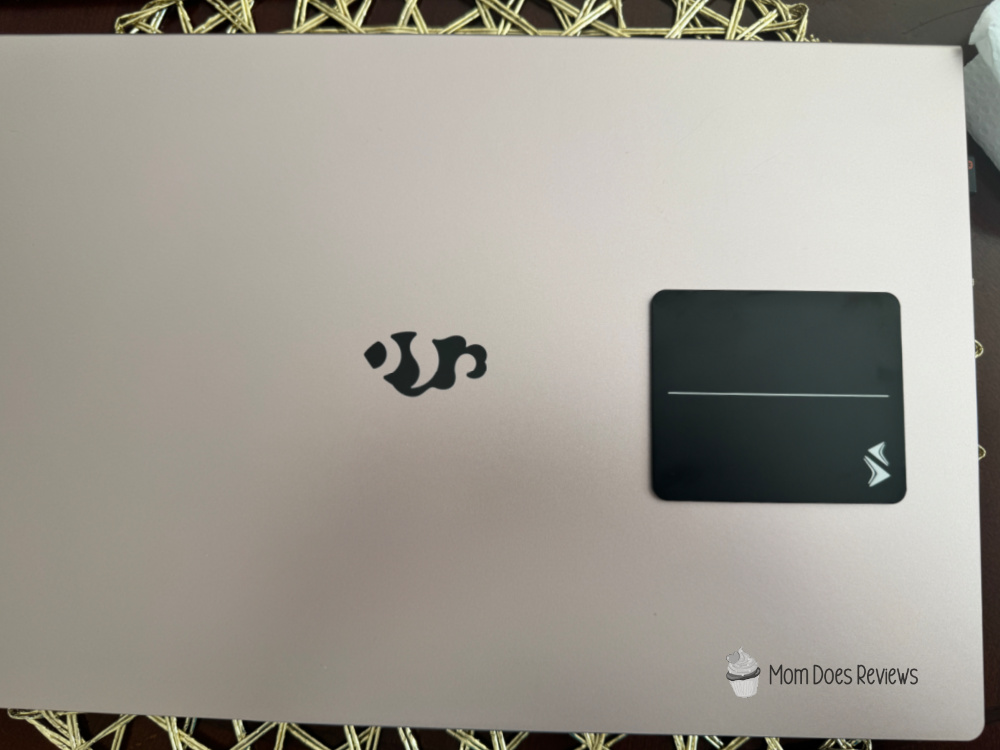
Setup was refreshingly simple. I was surprised by how quickly I had everything connected and ready to use. The template was self-explanatory, and I even scanned the QR code and watched the video to make sure I was doing it correctly. I was able to go into display settings and change it so it wasn’t mirroring my laptop screen.
Once it was attached, it felt like a natural extension of my laptop instead of another device I had to manage. I’m very excited to have another monitor so I can be creative and more productive with my time.
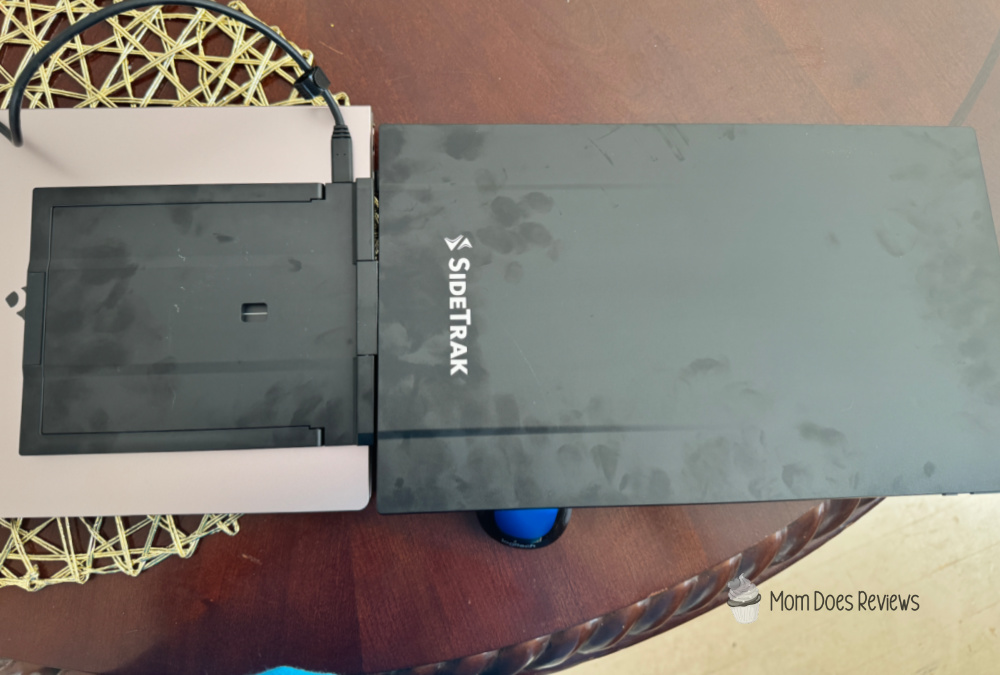
The only negative thing I can say about the attachable portable monitor is how my fingerprints show up, and I couldn’t get them off.
A Great Choice for College Students and Busy Parents
Watching my son use the dual-screen setup built into his laptop showed me just how valuable extra screen space can be. He loves having two displays available while working on assignments because he can keep research on one screen and write papers on the other. That inspired me to create a similar setup for my own work.
Now I use my portable monitor every day for creative projects. I can edit photos while referencing my blog post, design Pinterest graphics while reviewing branding guidelines, or monitor my social media accounts while writing new content. Everything simply flows better.
I also think this monitor would be an excellent investment for college students. Whether they’re attending online classes, writing research papers, participating in virtual meetings, or working on group projects, having two screens makes multitasking much easier. Parents who work remotely can benefit just as much by keeping spreadsheets, video meetings, presentations, or email visible without constantly minimizing windows.
Another feature I appreciate is that the monitor is compatible with a variety of laptops, making it a practical solution for many different users. It gives you the convenience of a dual-monitor workspace without needing a permanent desk setup.
My Thoughts
Sometimes a product doesn’t seem essential until you start using it every day. That’s exactly how I feel about this attachable portable monitor. It has made blogging more efficient, helped me stay organized, and reduced the frustration of constantly switching between programs.
I also appreciate how easy it is to take my workspace wherever I need it. Whether I’m working from home, helping my son with school projects, or traveling with my laptop, I still have the extra screen space that keeps everything running smoothly.
If you’ve been considering a portable monitor for school, work, or creative projects, I definitely think the SideTrak Swivel is worth exploring. It offers the flexibility of a dual-screen setup without the hassle of carrying a traditional monitor, making it one of my favorite productivity upgrades.
Follow Luxor Workspaces on social media
Facebook – Instagram – YouTube
We have added the SideTrak Swivel portable monitor to the Back-to-School Gift Guide!


Seriously, checking the actual link is key, not just the hype. Don’t trust any random site; check things out first. For info, peep this: bd10 bet ডাউনলোড. Stay safe online!
I felt the luck the moment I signed up. The promotions are generous and lucky97 is definitely my new favorite spot.
Love how easy it is to access this on my phone. The app is lightweight and the slots are super addictive. slotphpapp is my go-to mobile spot.