
How do you find the educational app your child needs?
The explosion of apps and educational websites can confuse even the most tech savvy of parents. As a homeschooling family of eight, it is important for us to find the best educational apps for our children. This week I was given the key to the mother load of all educational apps. This week I was told about iTooch!

When I was browsing through the iTooch catalog in the Android store all I could think is …
“Do you need to learn Math? We have an app for that!
Do you want to learn French? We have an app for that!
Are you struggling with Science? We have an app for that!”
I am not kidding! I feel like they have an app for everything!

[iTooch is] the largest collection of educational activities based on the US National Common Core Standards on Google Play for elementary school.
Used by more than 5,000,000 users, iTooch apps provide comprehensive learning solutions which help parents, teachers and students to identify and address learning needs in a fun and motivating way.
What is iTooch like?
The video below is a helpful overview of what you can expect from iTooch. (Please know that they have even more apps than what is listed during the intro.)

As you saw from the video (above), after iTooch is launched, the app opens to main topic folders. After making a selection from there, the user then selects a sub topic. Next, the app opens directly to the practice session. If the user needs to review the lesson before beginning, they can do so by swiping the screen to the right. This will open to a brief lesson page with written and/or illustrated information.
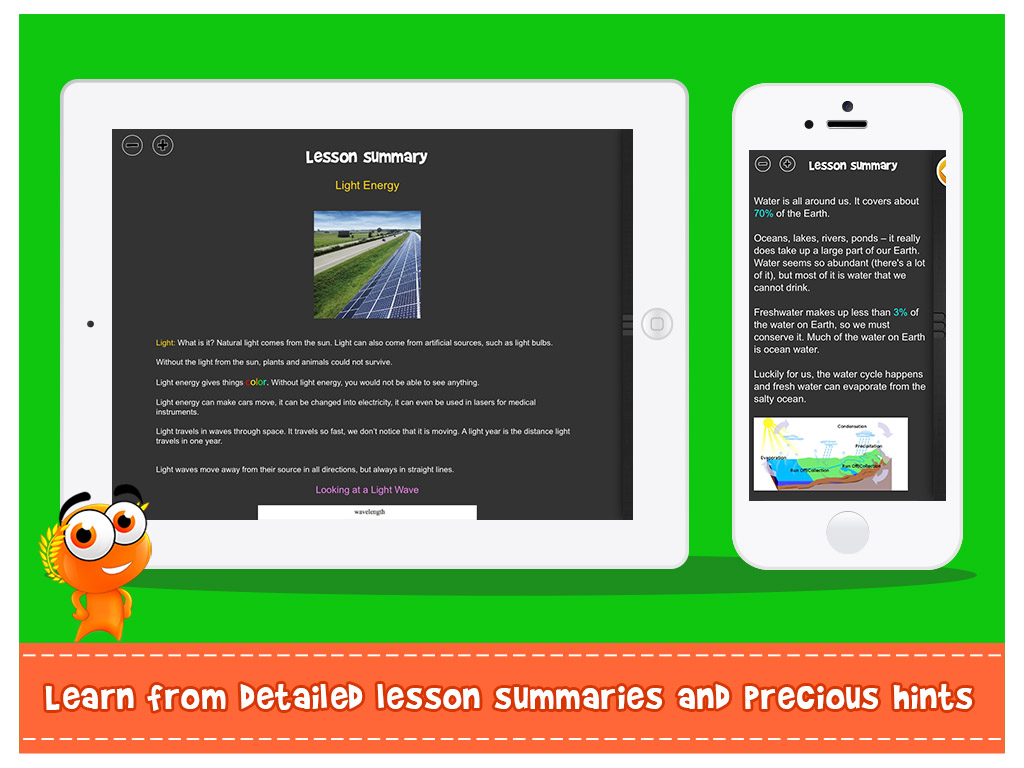
Once students are finished reviewing the lesson, they can easily swipe away the lesson page and go back to the practice (or take the quiz/test).
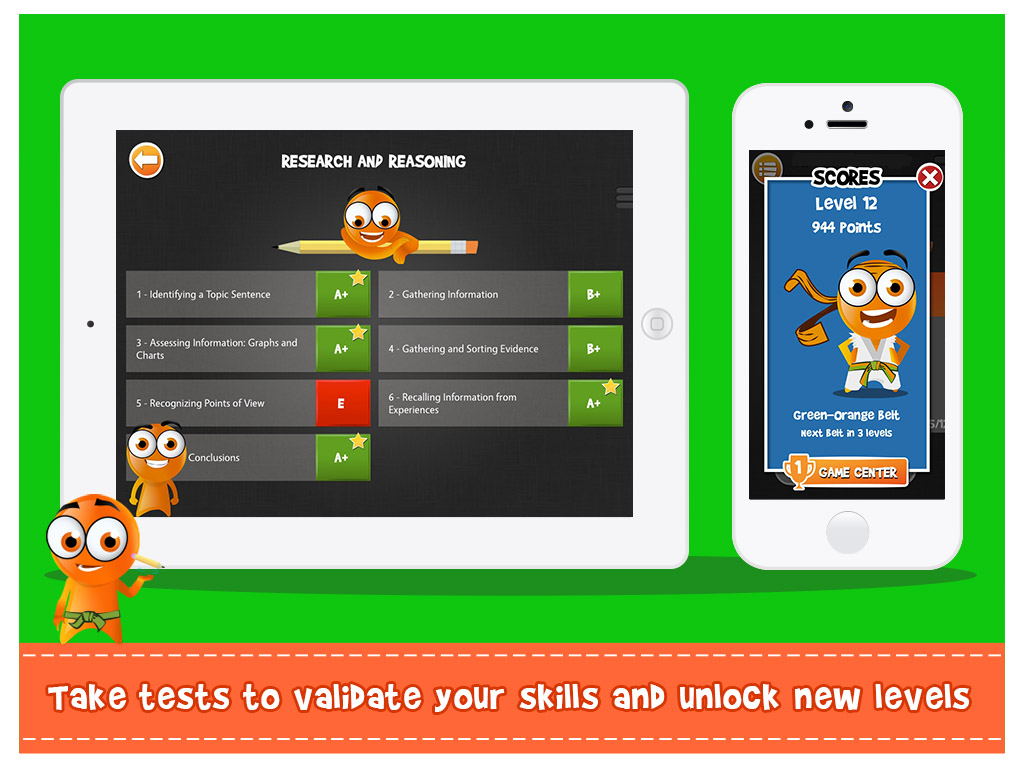
iTooch practice and quizzes are drill-like. Students can practice and quiz themselves, over, and over, again. They can complete a quiz session quickly before they get on the bus, during a five minute break, or while they are waiting at the orthodontist.
No Internet connection is required, so [iTooch] apps can be used anywhere: at home, at school, while commuting or traveling. That means there’s no lag-time: you can move instantly from one screen to the next. You don’t have to wait for information to load.

Users can jump right in! I like that you can play as a guest or by logging into you own account. Logging in is very simple. Begin by sliding the main screen to the left and choosing “Change Player” from the menu list. “Add New Player” or choose your name if you have already been added. That’s it. The process is very simple, basic — refreshingly easy.
Another feature I like (actually, love) is that users can skip to whatever area they want/need to work on. For example, third grade Science covers a variety (Physical Science, Life Science, Earth Science) and within the main areas the topics are broken down into sub topics (Earth Science covers Air, Water, The Water Cycle, Clouds, Solar System, etc.) If the user needs help with the Solar System, they can download the app, go straight to Solar System section, and begin working on what they need to work on without having to complete the other lessons first.
Power Ups and Other Features
When you need the blackboard! Users can access the blackboard during a practice drill or quiz by swiping the screen to the right and selecting the blackboard from the short menu.
All iTooch apps come complete with a virtual blackboard and a standard calculator, so students don’t have to leave the app to make a calculation or draw a figure.
Swiping to the screen left opens a menu where the settings can be found. The Settings allow you to choose a standard or advanced calculator, make changes to the notation, turn off or on the speech synthesis, allow/disable social media/networking, and adjust the sound, effects, and text size.
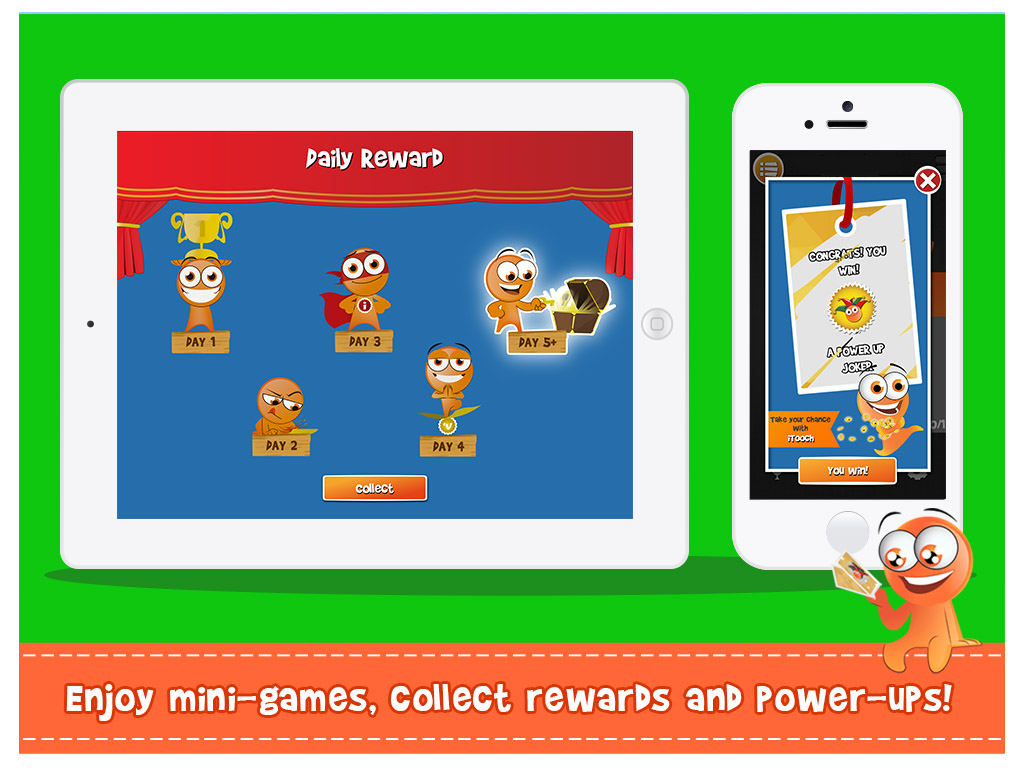
Power ups are located at the bottom of the main screen (third icon to the right). Power ups that can be earned are “Unlimited Time”, “Switch”, and “Joker”. The first two are self explanatory, but the Joker also offers you assistance and is explained as follows:
“This powerful Power Up is between a hint and a hack! Use a Joker to discover a part of the answer, but keep it a secret!
About the “Solutions” button. Sometimes when a question is answered correctly a white “solution” button appears below the answer choices. The user has the option to select this button and receive additional facts relating to the question they just answered. The “solutions” may take the topic further and provide specific information that the user didn’t otherwise know. (I have instructed my children to press this button whenever they see it before moving onward to the next question.)
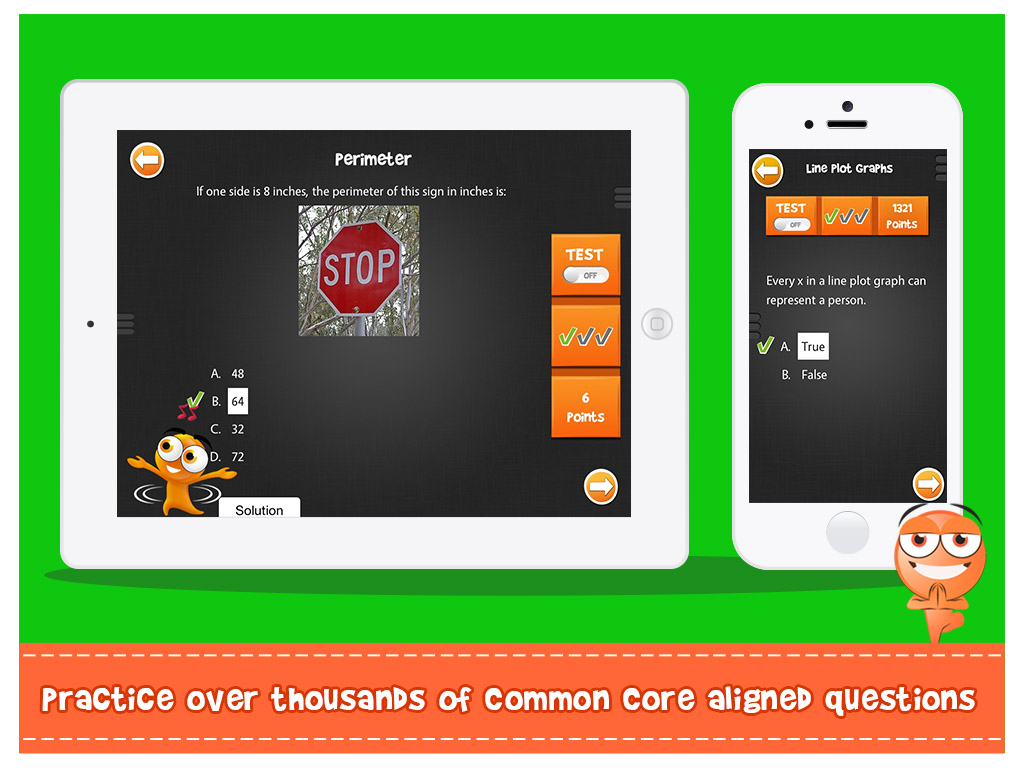
Additional Information About iTooch
iTooch is available for Elementary, Middle, and Foreign Language students! eduPad is constantly working to make their apps more fun and rewarding for kids. They offer a daily reward system, if played 5 days in a row, and provide other incentives that appeal to the student as well.
With more than 50 badges and achievements to unlock, [iTooch] apps are loaded with great game dynamics to students engaged in the learning process. Apple Game Center integration allows students to share their scores with their friends.
Automatic updates! I am the worst about making sure my apps are updated. I always think “do I really have time to wait for this?” and rarely do it. iTooch apps update automatically in the background without taking time away from your day!
[iTooch] apps automatically sync in the background in order to load new activities whenever an Internet connection is available. You don’t need Internet to use the app, but as soon as you get connected, [they] take care of everything to get you up to date!
Mom’s Thoughts
I love iTooch apps and highly recommend them! Personally, I need an entire tablet devoted only to iTooch so I can download all of their apps for my kids. Each time I view their app catalog I feel like a kid in the candy store — I want them all!
The greatest thing is, my kids don’t complain about using iTooch apps. The apps allow them to drill themselves in lessons we have already learned, and gives them the opportunity to learn new lessons directly on the app!
Exciting News! eduPad’s CEO in the top 100 most influential edTech leaders globally! Learn more about Jérôme Serre, eduPad’s CEO and co-founder, HERE.

[…] Sourced through Scoop.it from: https://www.momdoesreviews.com […]