
Last month when I went to LA I was clumsily trying to carry two cell phones. I needed one for work and the other to keep in touch with my family; it was the worst trying to keep up with which one I was using! Since I needed pictures for both, I was also having to take a photo, put the phone down, grab the next phone, and take the photo again. It was exactly as frustrating as it sounds. I will never do that again! One phone- that’s it!
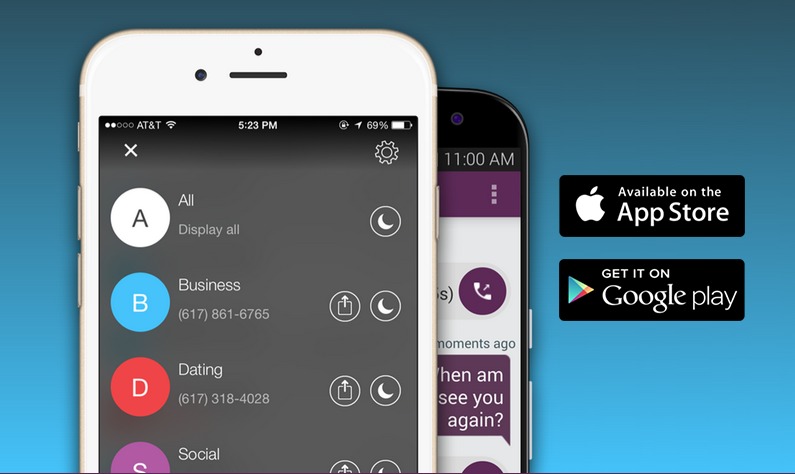
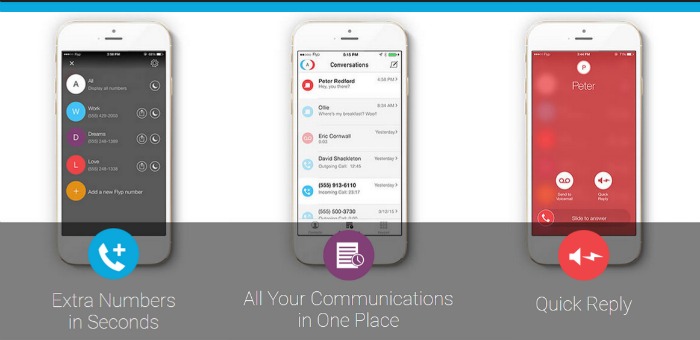
From now on, I’m using flyp to keep my personal and business life separate. The flyp app allows me to create a new random telephone number to use for business, personal, whatever. You can even set up separate voice mail messages! After you separate and organize your telephone numbers you can begin to devote more focus on each section of your life. For me, this means I can devote 100% of my family time to my family. Business calls will be received by my business voice mail, OR I can use another fantastic flyp feature – quick reply. With quick reply, I can quickly send a custom text-to-voice message when I’m not answering calls.
Don’t have time to respond to an incoming caller? Quickly send a custom text-to-voice message when you can’t – or don’t want to – talk.

Need privacy? YES! We all do! Your phone number tells strangers a lot about you. The area code narrows down your state and the prefix can even tell someone which city! This information is given out randomly to almost anyone who needs to reach you – complete strangers! And what about your kids’ cell phone? What information are they giving out? Children and teens, whether parents know it or not, are often posting their phone numbers on Social Media which is a permanent action online. flyp allows you to create a “safe number” in case your children ever NEED to give out their number.
As seen in USA Today and TechCrunch – a TIME and Gizmodo App of the Week!
Installing flyp is easy. Grab it HERE in the Google Play store and HERE for iOS users. Once installed, you can quickly validate your account by accepting the prompted text message. Enter the code found in the text and viola! your first number will be delivered!
◉ Additional phone numbers in seconds
◉ Seamless calling, texting, and voicemail
◉ Custom area codes for each flyp number
◉ Custom voicemail greetings for each flyp number
◉ Personalized text-to-speech Quick Reply messages
◉ Do Not Disturb for each individual flyp number
