“Children five years old and younger who use the Internet, “at least once a week”.
-National center for Missing and exploited Children

Is the above statement true for your family? It is mine. My five year old uses the internet every day in some way or another. Are you ready for something frightening? Another statistic from the National Center for Missing and Exploited Children is that 1 in 25 children ages 10 to 17 received an online sexual solicitation where the solicitor tried to make offline contact.
A few years ago I was foolish to think that my tweens were perfectly safe using social media because I was so sure I was doing everything right. I have since learned that social media is for adults only, none of my kids (of any age) are allowed on it. This has become a large problem for us because we have relatives who don’t understand this decision. They want access to our kids, they want to chat with them and share pictures and cute things with them – like they used to. They are right. They should be allowed to do this. But we have to have a safer way. This is where Maily has become a new olive branch for our family.

Maily is a email service designed specifically for children ages four and up. (Email? I know what you are thinking – hang on – keep reading.) What sets Maily apart is the design AND safety features. Children have the ability to create a custom email. Even the young ones will enjoy creating email messages with Maily because THAT is the cool part about this app! The layout is like something your child should be familiar with if they draw or color on their electronic devices. You have the options of using a pencil, paint brush, text or pre designed stamps. You child also has the ability to take pictures. What is really cool is that they can take their picture and place it into the predesigned stamps to create a unique picture.
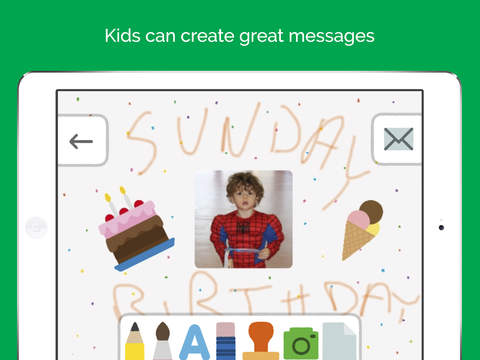
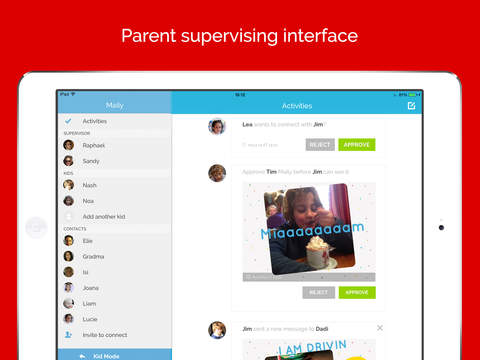
From there, the emails can only be sent to the people that parents sets up in their network. The parent is the only person that can add or delete members of the network via the parental control panel.
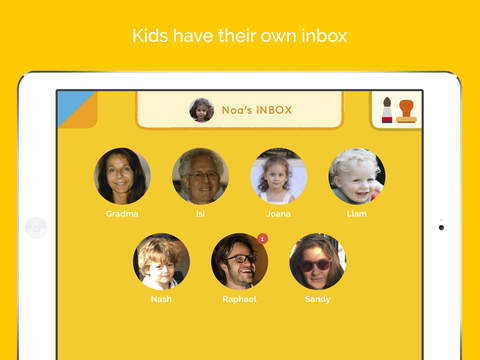
Special Feature for Young Children: The members of your child’s network has a picture of that person and their names underneath so that your young child can visually see who they are sending there message to. We all know that young children like to think they are grown and the more they can accomplish by themselves they feel more confident in their abilities. This app gives them this ability to go and pick out who they sending the message to and not only create the message but send it to them also.
Once your child has sent an email, the parent will receive notification that a email has been sent by your child. Once you receive that email you have to approve it in order for it to go to the recipent. The procedure is the same when your child receives an email from a person on their network. The Parent must to approve the email before their child will receive the email.
Overall, Maily is a great way to introduce your young child email. Communicating with loved ones and friends in a safe environment is very important. Maily is also a great way to draw back your older children who may not have the ability to understand the full repercussions of internet interaction with strangers. Children under the age of twelve are still, very much, children who will make poor choices because they don’t understand danger.
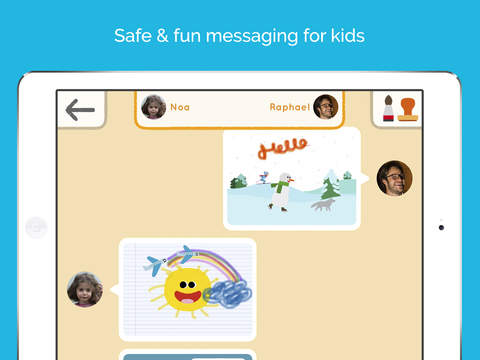
After using Maily, I recommend it for children twelve and under. Parents have the ability to choose their preference. They can turn on or off the parental control options for monitoring incoming and outgoing messages, even if they want to continue to receive an email letting them know that a message has been sent. As your child gets older, or as trust is built, parents can try out turning down parental security in whatever way they choose. This allows the child to continue to use Maily for email, as it is a safe application to do so, but gives the child some “freedom”.
PC/Android/IOS Comparison- We enjoy the app version better than what you can access on the PC. Little ones will prefer the app because they can do a LOT more creative messages on it. Stamps, paint, drawing – so much.
