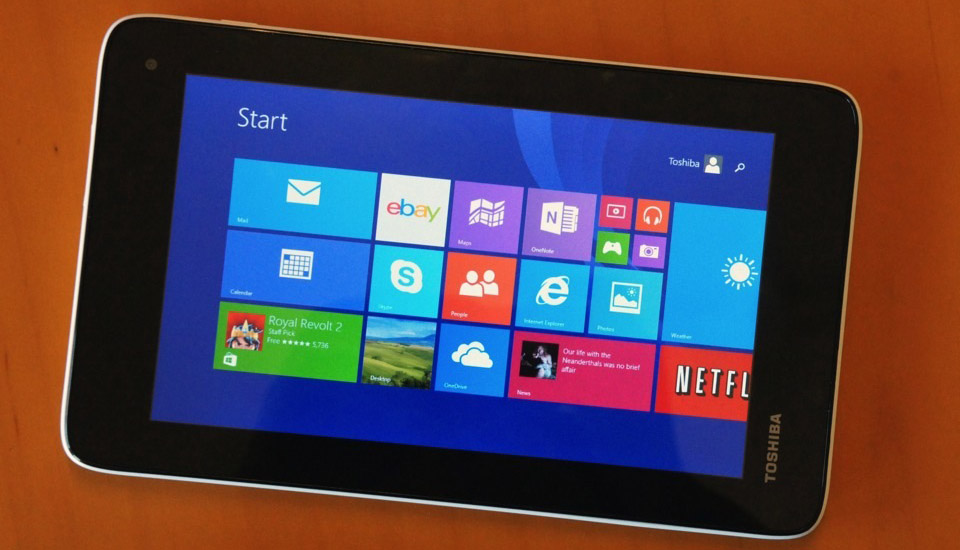
Here’s a few ways you can use Microsoft Office 365 to help manage your busy life as a working mom. Your day requires flexibility and Microsoft Office can help you get work done regardless of where you are. I use my Toshiba Encore Mini tablet to keep me organized all day long!
Below are five ways Microsoft Office 365 can help you stay organized and get stuff done!
- Work While Waiting: With Microsoft Office 365 productivity tools and OneDrive cloud storage, you can use your mobile devices and Office Mobile to work while waiting for your kids to finish baseball practice or while on the road between business meetings. You’ll have the flexibility with Office 365 to use touch, type or a stylus while either offline (sync later) or online, later syncing online via OneDrive. My Toshiba Encore tablet runs as a Windows PC! I can work on projects while I’m waiting for my son to finish his after school activities.
- Cooking Aid: You can use OneNote to keep track of recipes, entering them into your recipe notebooks or embedding recipes you find on the web (keeping the web links so you can refer back to them). OneNote Notebooks are also great for shopping lists. Sync your OneNote Notebook to your mobile devices using OneDrive, so that you can always access your information while mobile, making grocery shopping much more efficient. The OneNote search also helps you find recipes to fit what you have in the fridge for those “oh, no, what I am going to make for dinner” days! Again, you can use OneNote on any mobile device to keep your organized!

- Homework: Microsoft Office 365 Home Premium can be installed on up to 5 PCs or Macs, and 5 mobile devices. This means the whole family can take advantage of using Office. You’re able to install Office on your family desktop and laptops. Everyone will have access when they need it to use PowerPoint for work or class presentations and Word/Excel for projects. Plus, your kids can organize research, take notes and even use an equation editor for math homework using OneNote.

- Household Organization: Use Outlook to create a shared family calendar with different colors for each person. You can use Excel to track the family budget, expenses and household projects. The spreadsheets can be then be embedded, plus any online links, pictures, video or audio, into OneNote notebooks. Family vacations are planned with OneNote notebooks and pictures uploaded to OneDrive albums.
About the Toshiba Encore Mini:
There’s so much to do, so much to see. Do it all with the 7-inch Encore Mini featuring a brilliant widescreen touch display. Watch movies, play games, check your work email, and do some online shopping, all at the same time. Its display has wide viewing angles, making it easy—and comfortable—to multitask like a champ.
