What can be more unsettling than a locked screen where you used to log in seamlessly? At first, you might punch in the keyword a few times to make it work and when it doesn’t do the trick, the panic sets in. The reasons for being locked out are many, ranging from a forgotten password to a hijacked account. Whatever the case may be, you need to put in effort to recover the account.

Confirming what actually happened
Before you start attempting recovery, give it a thought that the situation is a simple lockout or something more serious. A password that just stopped working, a security alert about an unfamiliar device, or a friend saying they got a weird message from your account – each points somewhere different. Learning how to reclaim a locked or hijacked account starts with this distinction. That’s because a routine lockout and an actual breach call for slightly different first moves. Even though a lot of the recovery process overlaps from there, some key differences remain. Moonlock is a good resource that talks about reclaiming locked and hijacked accounts. Every Mac user should go through it every now and then to maintain online security awareness. In today’s world, that’s non-negotiable.
Starting with the platform’s recovery tool
Every major platform runs some version of an account recovery flow, usually tucked behind a ‘forgot password’ or ‘can’t access your account’ link on the login page. This is the fastest route for hacked account recovery in most cases – the platform walks through identity verification using a recovery email, a phone number on file, or a set of security questions set up earlier. It’s worth trying this first before anything else, since it’s built specifically for situations exactly like this one.
Checking recovery contact info first
A recovery flow only works if the email or phone number linked with your account is still accurate and accessible. If an attacker manages to break in and changes that contact information as one of their first moves, the standard recovery will most probably fail.
In that case, most platforms offer a secondary identity verification path – sometimes involving a government ID, sometimes just a longer wait tied to account history – specifically built for situations where the usual recovery contact isn’t reachable anymore.
Securing email before anything else
Email sits at the center of almost every other account online, which makes it the first thing worth locking down during any locked account recovery process. If the email tied to a hijacked account is itself compromised, resetting passwords elsewhere becomes a losing game – the attacker just resets them right back. Securing the email account first, with a new password and multi-factor authentication turned on, gives every other recovery step somewhere solid to stand on.
Changing passwords immediately
Once you regain access, changing the password is simply non-negotiable. It has to be unique and strong. You also need to ensure that you haven’t used it previously on the system or even on other devices you use.
Hackers find it easy to break reused passwords, so save your account from being compromised again by using a new password. A breach usually leaves open all your passwords so it doesn’t make sense to reuse any of those. Using a password manager makes this a trouble-free experience. You can easily generate and store genuinely random passwords rather than a slightly modified version of an old favorite one that you just think of in your mind.
Reviewing connected devices and sessions
Most platforms show a list of devices or sessions currently logged into an account. This is worth checking closely during hijacked account recovery. There are classic signs telling you that an urgent action is now necessary – an unfamiliar device, an unrecognized location, or an active session that you don’t relate to. Logging out of every session except the one you are currently active on will cut off any ongoing access.
Using two-factor authentication
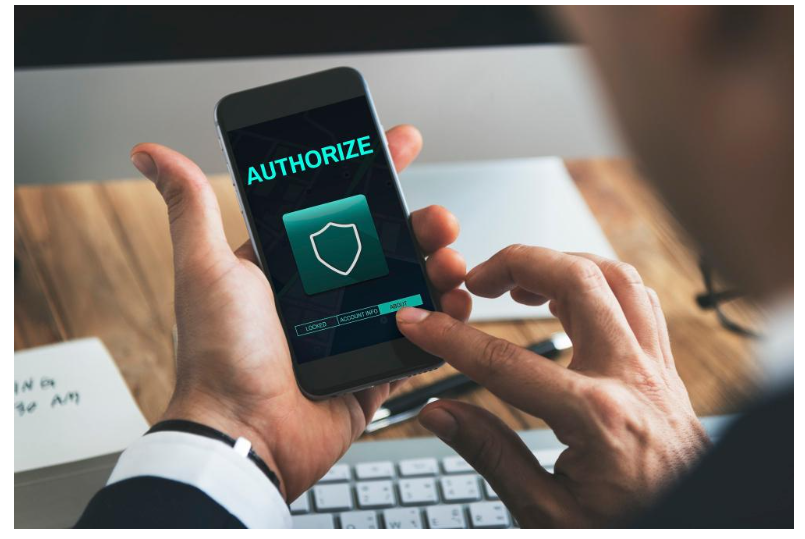
Two-factor authentication (2FA) is a real life-saver. An authenticator app works far better than SMS-based codes. SIM-swapping attacks can intercept text messages in a way that’s much harder to pull off against an app that generates codes locally. This extra layer of security prevents further unauthorized access and is an important step once you recover a hacked account and regain access.
Reporting to the platform itself
Beyond personal recovery steps, most platforms want to know when an account’s been compromised. It triggers additional security reviews and flags the account for closer monitoring going forward. Sometimes surface details about how the breach actually happened in the first place – information that’s hard to get any other way. It’s a step people skip fairly often, mostly because the account already feels ‘fixed’ by that point.
Warning contacts if messages went out
Cyber attackers use hijacked accounts for phishing. They send phishing links or scam messages to your contacts. Before you even notice something’s wrong, damage is done. Once access is back, a quick message to close contacts explaining what happened. This step matters just as much for compromised account recovery on social platforms as it does for email, since the reach of a hijacked social account can be even wider and faster-moving.
Watching for follow-up attempts
Recovery is not an end. Rather, it is the beginning after the access is restored. Attackers know that there is a gap, so they try again days or weeks later, especially if the original entry point hasn’t actually been addressed. Keeping an eye on login alerts and account activity for a few weeks after recovery saves the previous attempt from becoming a repeat incident.
Going forward
Getting an account back is really just step one. What actually prevents a repeat is the boring stuff that tends to get skipped – a password manager, 2FA turned on and a habit of double-checking links before clicking anything that arrives unexpectedly. None of it’s exciting, but it really makes a difference to your online security.
