Now saving and moving pictures is easy! Picture Keeper can handle everything on your phone in no time. If you are like most of us, your phone is packed with images and videos. And like most of us, you cringe when you see the notice that something has to be deleted in order to save your current image. Oh the stress involved when changing to a new phone and not having all your images and contacts backed up is well, overwhelming! Let’s take a look at a couple of options that will take away this stress point from your life.

About Picture Keeper
Welcome to simplicity. This isn’t the cloud, it isn’t a hard drive, it isn’t just a flash drive. Picture Keeper is a solution. We embed our software onto our custom flash drives and make them available in multiple capacities. Picture Keeper gets you started protecting your photo files quickly. We offer a wide variety of drive sizes to fit whatever your photo needs may be.
Why do we make things easy? Everyone is busy! And when things are complicated, people don’t do them. And when it comes to your photos, you don’t get do-overs.
Think about it – what’s the one thing you’d want saved if your computer crashed? Your pictures!Protecting your memories shouldn’t be difficult. Whether you’re switching to a new phone, running out of storage on your smartphone, or wanting to safeguard important photos, Picture Keeper for Android offers simple photo backup solutions for Android smartphones, and tablets as well as Mac and PC computers.
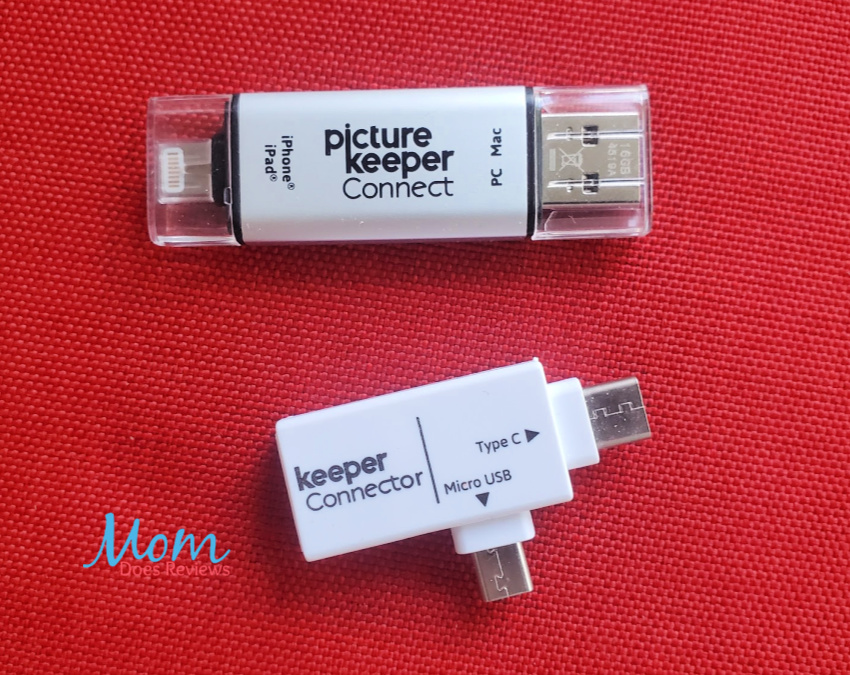
Picture Keeper for Android
If you are looking for a safe and easy way to store or backup your images on your device, the Picture Keeper is just what you need. Once you have the stick, down load the app and insert the stick into your device. From there you can watch the magic work as the Picture Keeper goes through all your images, videos, and contacts preparing to backup. Included with the USB storage drive is the adapter for your phone or device. The Android one comes with both the Micro USB and Type C adapters. (If using Apple products make sure you order the other Picture Keeper set).

The entire process is pretty quick considering how many images most of us have on our devices. When the process is complete, you will have your photos, videos and contacts on a portable USB drive.

Using the Picture Keeper App
Not only is using the App simple when it comes to backing up all your images, you can create custom gifts and prints with your photos directly from the drive using the free app. And because the drive is portable, you can just open it on any phone or device for access to your contact list and phone numbers. This is also a great way to share your images too. The Picture Keeper APP is available on the Google Play store or on the Apple App Store.
Choose Your Storage Capacity
The Picture Keeper is available in 8GB, 16GB, and 32GB of USB storage. Personally, I would recommend ordering the largest size so you have a huge portable storage drive on hand. The first backup is the largest to run as it is backing up everything. After that, each backup only save newly added files.
No Internet Required
One of the best features of this drive is that you can run it anywhere. If you currently are backing up to the cloud, you already understand the frustration of it only working when you have internet available. But with the Picture Keeper, your files are not being stored in the cloud so you have complete control on when and where your images are accessed.
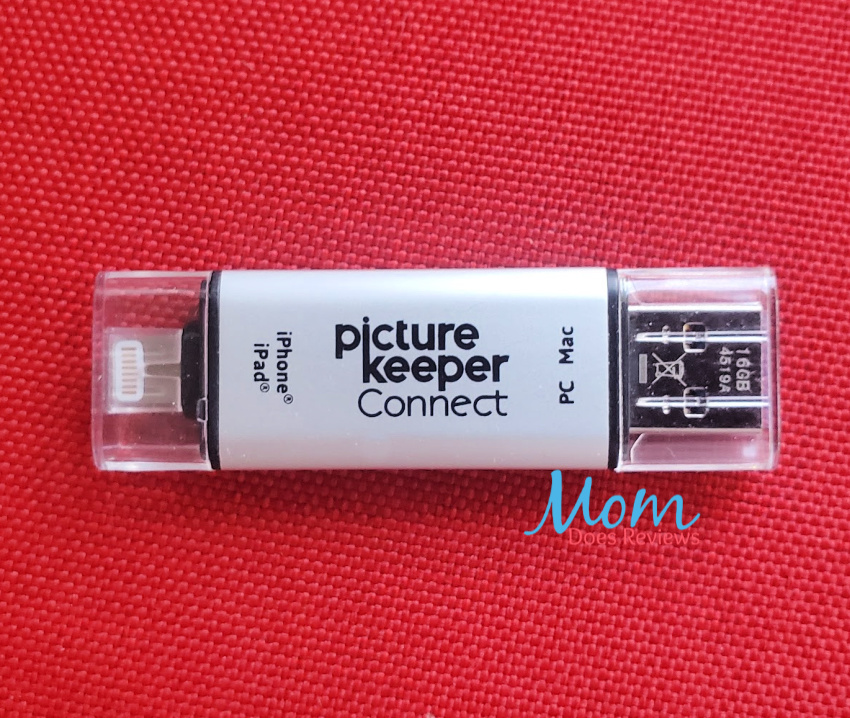
Picture Keeper Features
- Connect anywhere for instant access
- Allows for easy transfer files to a new device
- Easy to use as additional storage
- Opens up space on device to allow for improved speed
- Keeps all your images and files and photos safe
- Simple plug-and-play convenience
My Thoughts
I love taking pictures! And with a large family, we are always taking and sharing pictures with each other. Running out of room on my phone is well, just stressful to me.
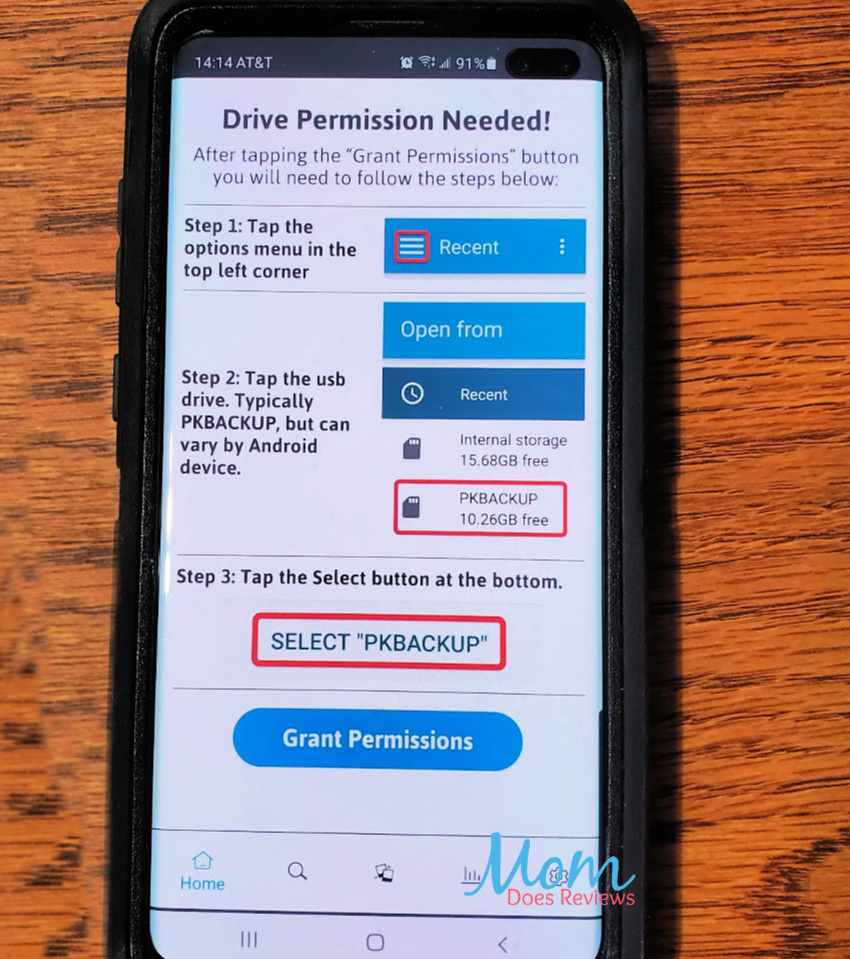
The best thing about the Picture Keeper to me is being able to simply plug it in and let it run. I can do this at the dinner table or while driving. The convenience of not having to be connected to wifi in order to back up is important to me. My files do get backed up to the cloud, however, when we are on the go, this becomes and issue with available space on my phone. Did I mention my family loves to take pictures?
The first time the Picture Keeper ran on my phone, I was pleasantly surprised at how easy it was to use. I am not tech savvy at all. Even with this limitation, I was able to get the App set up and the backup running quickly.

I knew I had a lot of images on my phone; but I didn’t know I had THAT many! I need to be more diligent in deleting images once they are backed up. What surprised me was the number of contacts on my phone. I don’t think I even KNOW that many people! As it turns out, there were thousands of duplicate entries that I was able to combine or easily delete.
Picture Keeper Options
The Picture Keeper has you covered no matter the device or platform. It is available for iPhone/iPad, Mac/PC Computer, and as a Computer Backup Solution.
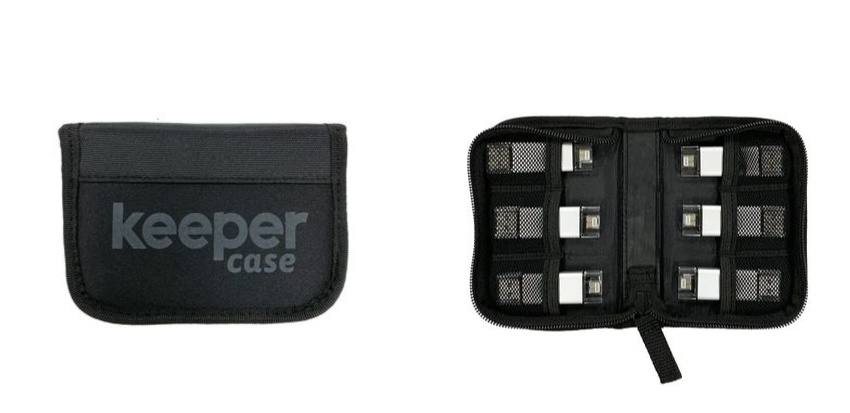
And for those that travel a lot like we do, or just need to store a ton of images, the travel pack is a perfect solution!

Make sure to follow Picture Keeper on social media:
Facebook | Instagram | Twitter
We’ve added Picture Keeper to our Celebrate Summer 2020 Gift Guide! #MDRSummerFun
Check it out here!