
The Kidslox app allows parents to set boundaries on their children’s mobile devices.
About Kidslox
With the ever increasing use of mobile devices in the home, Kidslox is the ideal digital companion for parents to help keep children safe and limit their screen time. Once installed, the Kidslox app enables you to remotely control your child’s iOS and Android devices (including iPhone and iPad). It is perfect for managing dinner time, homework and bedtime.
It amazes me that some 5 year olds are getting tablets and iPods these days! Wow. Let’s face it, we’re living in a digital age. With technology growing at a rapid speed, we have a responsibility to educate ourselves on the most effective ways to protect our children.

Setting limits is very important. As a blogger, I can relate to how fast time flies when you’re online. Since it is necessary to unplug and be social face to face, the Kidslox app is the perfect solution. Install the app to remotely control your child’s IOS and Android devices including iPhone and iPads. You can also control IOS devices from Android and vice versa.
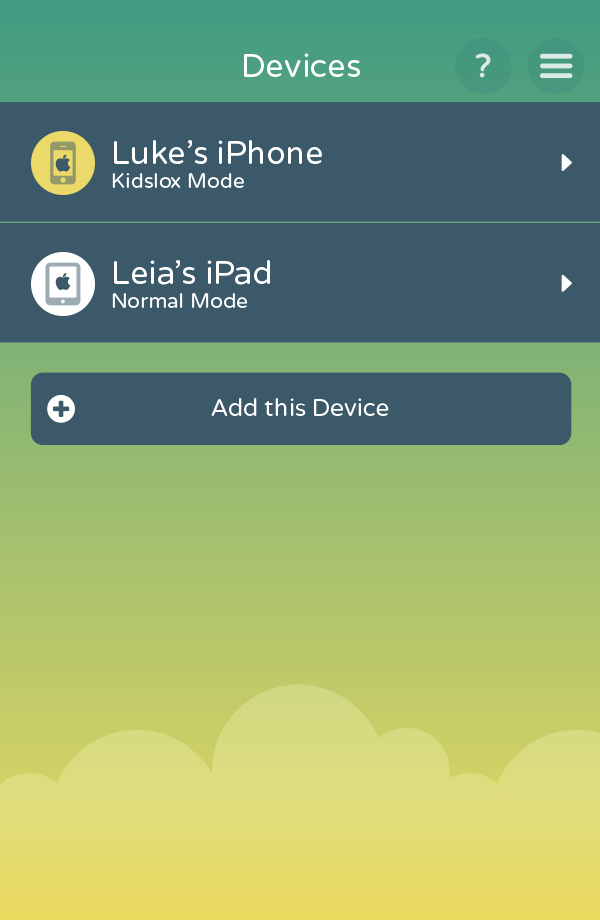
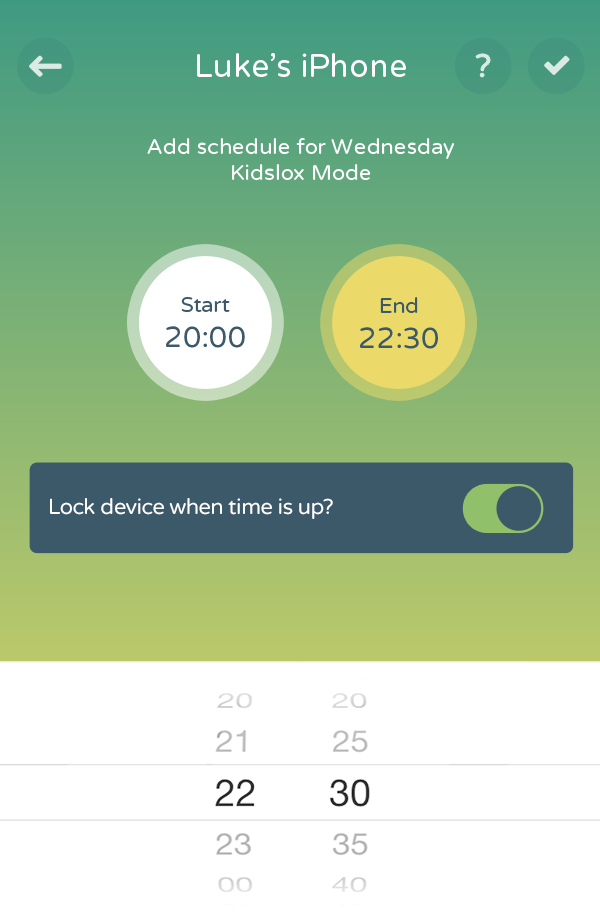
In addition, customize restrictions on devices by blocking certain apps that you don’t want downloaded. Create and set up daily recurring schedules to restrict a device such as during school hours and at bedtime.
I really needed this fabulous locking feature when we were in NYC a few weeks ago. I woke up around midnight in the hotel to find my teenage daughter browsing Instagram. Needless to say I am thrilled to find Kidslox and to share it with all of you!
How does Kidslox work

When you download the Kidslox app, you are installing an official Apple Mobile Device Management (MDM) profile onto the device that you want to control. This profile allows users to carry out the remote features via internet (WiFi. 3G, or 4G). This brilliant technology will work even if you are not anywhere near their device.
Download Kidslox app

Be Social! Follow Kidslox. I’m sure they would love to hear from you!
