• Home
  • About
    • Media Kit and Gift Guides
    • Privacy Policy
    • Affiliates & Ambassadors
  • Reviews
  • Giveaways
  • Recipes
  • Desserts
  • Crafts
  • Printables
  • Parenting
  • Movies
  • Pets

Mom Does Reviews

The Sweet Stuff of Life

Be the first to know about Recipes, crafts and more!

  • Fun Products
  • Home
  • Tech
    • App Reviews
  • Travel
  • Education
  • Finances
  • Health
  • Fitness
  • Beauty
    • Fashion
  • Weddings
  • Gardens

Interview with Founder of techmama.com- Beth Blecherman #spons Microsoft Office 365

June 23, 2013 by Pam Maynard

Organize Your Life and Your Kids!

This content is sponsored by Microsoft Office 365.

Meet Beth Blecherman:

bethblech

Are you constantly batting to keep your family organized?  Do you forget important events, even though you wrote them on the calendar?  TechMamas.com founder and editor-in-chief, Beth Blecherman, shared technology tips with me- on everything from staying connected through the cloud to remembering things with digital note-taking to setting up a family calender.  I got the privilege to interview Beth via phone conversation. Watch our interview below!

Did you learn any tips you could apply to your family life? Did you enjoy learning about Chore lists- I know I will be using one this summer!  Here is the link to Creating your own Chore lists using Microsoft Office 365: http://techmamas.com/main/2013/05/chore-lists-office-365-home-premium.html
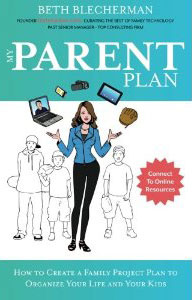
myparentplan_front
Beth’s recently released book, “My Parent Plan,” also provides parents with advice on how to apply business principles to parenting.  This book is a gold mine of information.  You really can apply those business principles to your home life.  For example, we have a home business and need a better way to keep track of our 4-legged clients.  Beth suggests a family calender to keep us organized.  We can color code it for home business, work, kid play dates and more. You can buy My Parent Plan: How to Create a Family Project Plan to Organize Your Life and Kids on Amazon.
Beth also talked about how the new Office 365 would change our digital experience forever!
Here are some of the exciting features of the new Office.

  • A single subscription to Office 365 Home Premium allows the use of Office on up to 5 PCs or Macs shared among all users in the home and includes Word, Excel, PowerPoint, OneNote, Outlook, Access, and Publisher.  Upgrades are now automatic.
  • Subscribers also have flexibility to change their 5 devices at any time. This means that instead of Office belonging to one device, it belongs to the subscriber across devices.
  • This subscription also includes 60 minutes of Skype world calling per month and 20 GB SkyDrive storage in addition to the 7GB every Microsoft Account holder gets for free. Additional Skydrive storage is available.

This post is sponsored by Microsoft Office 365 Home Premium.  All opinions are 100% my own.


Tweet
Share
Pin
Share
0 Shares

Filed Under: review Tagged With: office 365

About Pam Maynard

Meet Pam, the heart and soul behind Mom Does Reviews! This busy wife, mom, and content creator shares her life from her happy homestead in New Hampshire. Her home is a bustling hub of love, shared with her son and three lively dogs. When she's not busy crafting engaging content, you can often find Pam enjoying quality time with her furry companions, indulging in her favorite chocolate, and savoring a good cup of coffee.


Contact Us

Are you ready for Spring?

Spring into Summer Gift Guide

Perfect Gifts for Mom, Dad & Grads!

Mom Dad Grad Gift Guide

ENTER OUR SWEET GIVEAWAYS!

$15 Amazon GC, WW
.
Moms Rock Giveaway Hop8 Days Left
Win $75 Amazon or PayPal Cash, US/CAN
.
Amazon 5318 Days Left
.

Blogger Giveaway Hop Signups

Don’t Forget your Valentine!

Sweet Valentine's Day Gift Guide

Have a Magical Merry Christmas!

Magical Merry Christmas Gift Guide #MegaChristmas24

Spectacular Stocking Stuffers!

Check out our Back-to-School Guide!

Back to School Gift Guide

Privacy Policy

Find our Privacy Policy here.

Copyright © 2026 · Magazine Pro Theme on Genesis Framework · WordPress · Log in